
The Domain Was Purchased but Would Not Load — Automating Connections Around DNS Delays
Failures while automating domain purchases, DNS setup, HTTPS certificates, and registration with Google led to a connection flow that waits for DNS confirmation before continuing.
On this page
- Introduction
- 1 Completing a purchase was not the same as completing a connection
- 2 Immediately after purchase, we only performed setup that did not need to wait
- 3 We waited for nameserver confirmation before enabling HTTPS
- 4 Registration with Google became a separate job
- 5 The UI showed actual connection status
- 6 The final purchase test connected without manual intervention
- Conclusion
Introduction
Introducing custom domains in Wiblog · Part 2
In Wiblog, I built a feature that let users buy a domain and connect it to their blog without configuring it themselves. The goal was to automate the purchase, DNS setup, HTTPS certificate issuance, and registration with Google Search Console.
But across four test purchases, a different problem appeared each time. One domain showed a parking page for a while. Another remained unreachable even after the server configuration was complete. In one case, the existing blog address redirected to the new address before it was ready, making a previously working blog inaccessible too.
Tracing these problems revealed a common issue. Buying a domain and changing its nameservers did not mean external DNS resolvers could immediately see the new configuration. The initial implementation started the next steps without waiting for that to happen.
I then separated work that could run immediately from work that had to wait for DNS confirmation. The first test took 38 minutes and three manual interventions to connect. The final test took 11 minutes with no manual intervention. This compares two cases; it does not mean every domain takes the same amount of time.
Part 1 — Published but Missing from Search explains why Wiblog began recommending custom domains. This article covers a separate implementation effort. The series follows a reading order; it does not change the actual sequence of the development and tests described below.
1. Completing a purchase was not the same as completing a connection
Connecting a domain involved more than one API call.
- Purchase the domain: Register it through Dynadot.
- Configure DNS: Add the server address in Cloudflare and change the domain’s nameservers.
- Configure HTTPS: Prepare the Caddy configuration and certificate so the new address can serve the site.
- Register with Google: Verify domain ownership in Google Search Console (GSC) and submit the sitemap.
Because different services handled these steps, a successful API response from one step did not mean the next was ready to run.
The time it took to observe a nameserver change varied between the test domains.
| Test case | Time until the nameserver change was observed |
|---|---|
| Domain A | About 2 minutes |
| Domain B | About 13 minutes |
Both used the same connection code. These were observations from those tests, not a guarantee that DNS changes always complete within 2–13 minutes.
The initial implementation applied the Caddy configuration and attempted GSC ownership verification immediately after requesting a nameserver change. If external DNS could not yet resolve the new configuration, certificate issuance or ownership verification could fail.
The flow needed to check that the prerequisites were ready before starting the next step.
2. Immediately after purchase, we only performed setup that did not need to wait
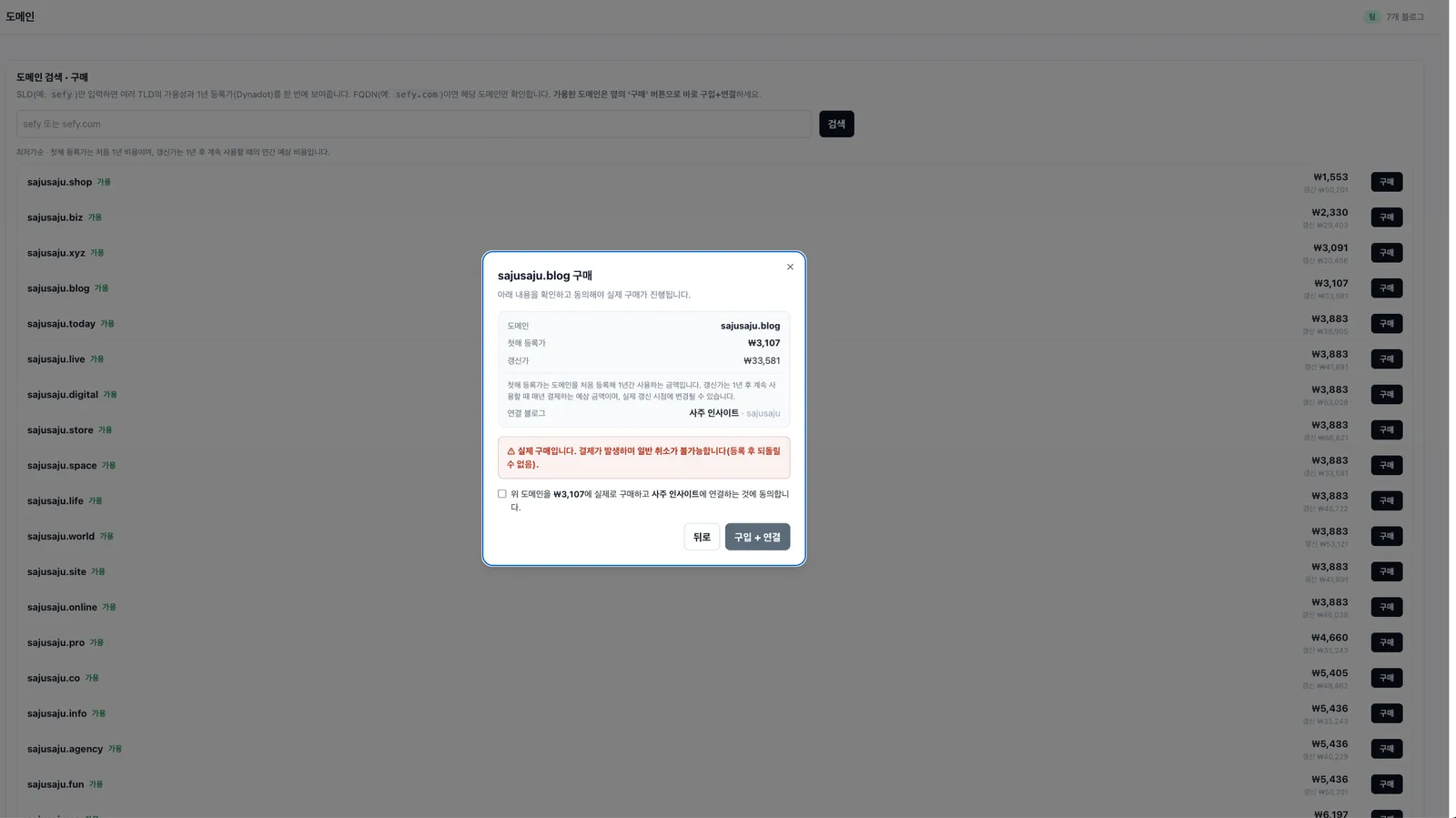
To avoid keeping users waiting after they clicked the purchase button, the initial request handled only work that could run immediately.
- If the actual checkout price differed from the search result, stop the purchase and ask for confirmation again.
- Purchase the domain through Dynadot.
- Create an A record in Cloudflare pointing to the server.
- Ask the registrar to use the Cloudflare nameservers.
- Create the TXT record for ownership verification.
- Queue the remaining connection work and show “Connecting” in the UI.
The important ordering was creating the A record before changing the nameservers.
If the nameserver change became visible before Cloudflare had the A record, a DNS query could return a negative response indicating that the requested address information was absent. If that response was cached, some users could continue to have connection problems even after the record was added.
A successful response from the nameserver-change API was not enough either. When a change was requested immediately after purchase, before the registrar had finished preparing the domain, there were cases where the API reported success but the expected nameservers were not actually set. We therefore read the configuration back and retried if it did not match.
We did not verify GSC ownership at this stage. Even with the TXT record in place, Google could not read it if external DNS could not yet reach the new nameservers.
3. We waited for nameserver confirmation before enabling HTTPS
A separate worker processed the job passed on by the purchase request. It queried the nameserver configuration through public DNS services at 1.1.1.1 and 8.8.8.8.
- If neither resolver returned Cloudflare nameservers, it retried without applying the Caddy configuration.
- If either resolver returned Cloudflare nameservers, it applied the Caddy configuration for the new domain together with the redirect from the old address.
- It then checked the new address’s HTTPS response, recorded activation, and cleared caches.
With the earlier implementation, there was a case where Caddy attempted certificate issuance before DNS was ready and the new address remained unavailable until a restart. That describes the failure observed at the time; it does not mean the same permanent failure occurs in every environment.
Another problem was redirecting the old address too early. Previously, the existing subdomain redirected to the new domain while it was still unavailable, making the previously accessible blog difficult to reach as well.
We changed the order so the old address continued serving until the nameserver change was confirmed. However, the redirect configuration is applied before the HTTPS response check. This does not guarantee that access problems disappear while certificate preparation is delayed.
At the time, the worker was configured to retry every minute for up to six hours. That was an operational policy for checking automatically during that period, not a guarantee that DNS would update within six hours. Checking two public resolvers also cannot guarantee that every user’s DNS cache has been refreshed.
4. Registration with Google became a separate job
An available HTTPS connection did not complete registration with Google. To verify domain ownership for GSC, Google had to be able to read the DNS TXT record.
Initially, we retried verification for about 18 seconds immediately after purchase. In the tests, ownership verification did not succeed within that window, so the retries only made users wait longer.
We removed those retries and changed the schedule as follows.
| When | Work |
|---|---|
| Immediately after purchase | Create the ownership-verification TXT record |
| After nameserver confirmation | Attempt GSC ownership verification and sitemap submission |
| Every 30 minutes | Retry domains whose earlier attempts failed or were missed |
Periodic checks were needed because Google API errors or interrupted jobs could still prevent registration after the nameserver change was complete. There had been a case where automatic registration was missed and I had to run a recovery script manually.
Instead of repeating the same request rapidly at one point in time, we attempted it once the connection prerequisites were ready and revisited failed work later.
5. The UI showed actual connection status
The UI displayed a “Connecting” modal and checked the status approximately every five seconds.
Rather than only reading a job-completion flag from the database, the server queried DNS and HTTPS to determine whether the address was actually reachable. A queue job’s state does not necessarily match what a user can access.
We did not present the new domain as a clickable link before its connection was confirmed. This reduced the chance of caching a not-yet-ready DNS response if a browser or other software looked up a link in advance. Until the connection was ready, the UI continued to offer the existing blog address.
This kept purchase completion distinct from actual service availability.
6. The final purchase test connected without manual intervention
The initial and final tests produced the following results.
| Item | First test | Final test |
|---|---|---|
| Time to connect | 38 minutes | 11 minutes |
| Manual interventions | 3 | 0 |
| Server restart needed to connect | Yes | No |
| Existing blog address | Affected by problems with the new address | Preserved until nameserver confirmation |
One important setting in this process was configuring the registrar account to use Cloudflare nameservers by default.
In the first test, the domain initially pointed to the registrar’s default parking page. Some DNS caches retained that response and showed the parking page instead of the new site. After changing the initial nameserver setting, the tests avoided this intermediate state.
The better result cannot be attributed to a single change. We changed the record-creation order, nameserver checks, certificate-issuance timing, redirect transition, and periodic recovery together. The first and final tests also used different domains, so I do not attribute the entire time difference to the code changes.
What the final test did establish was that completing the connection no longer required a manual restart or recovery script.
Conclusion
Initially, I tried to complete the purchase, HTTPS connection, and registration with Google in one pass. In practice, later steps started before the DNS configuration was externally visible, causing failures.
We separated the work done immediately after purchase from the work that waited for external DNS confirmation. The old address stayed in service until the nameserver change was confirmed, and failed registration tasks were retried periodically.
The key lesson was not how to eliminate the DNS wait. It was how to let users keep using their existing blog while waiting, then continue the remaining work automatically.
Previous article: Part 1 — Published but Missing from Search: Why I Started Recommending Custom Domains
Comments