
The In-App Browser Eats Your Social Login Button — and Hard Logins Lose Users Instantly
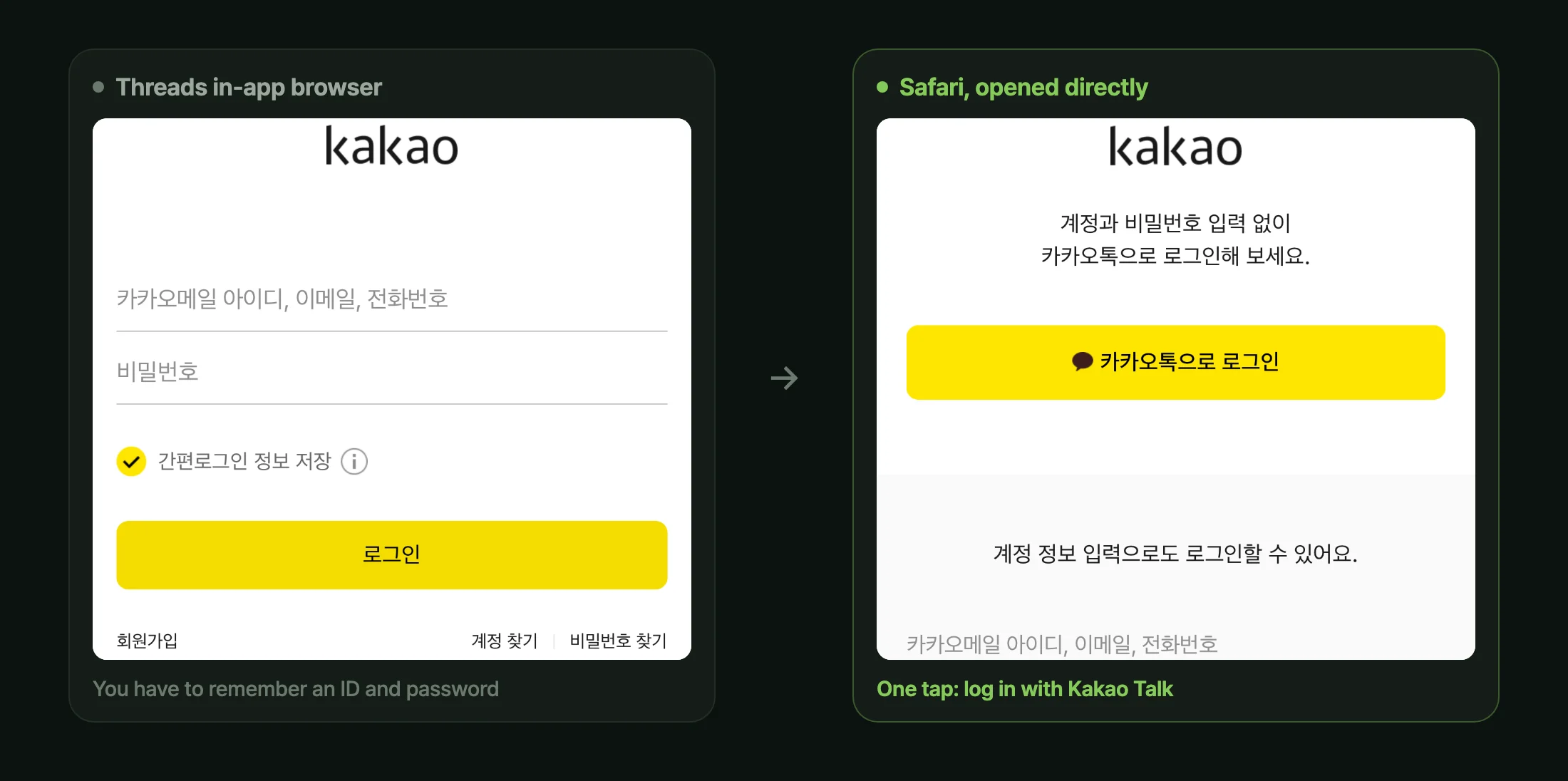
Open the same page from inside Threads and the 'Log in with Kakao Talk' button is gone, leaving only an ID and password form. Nothing shows up in the error logs, so I detected the in-app browser, escaped to the real one, and made the failure path invisible.
On this page
Introduction
Login is the thinnest gate in a product. Block someone once and they don’t investigate why — they just leave.
And that gate looked different depending on where the user came from. People who tapped a link inside Threads never saw the “Log in with Kakao Talk” button at all.
1. One Missing Button Is a Drop-Off
| How the user arrived | What the Kakao login page shows |
|---|---|
| Safari/Chrome, opened directly | ”Log in with Kakao Talk” button and the account form |
| A link inside the Threads in-app browser | Only the ID and password form |
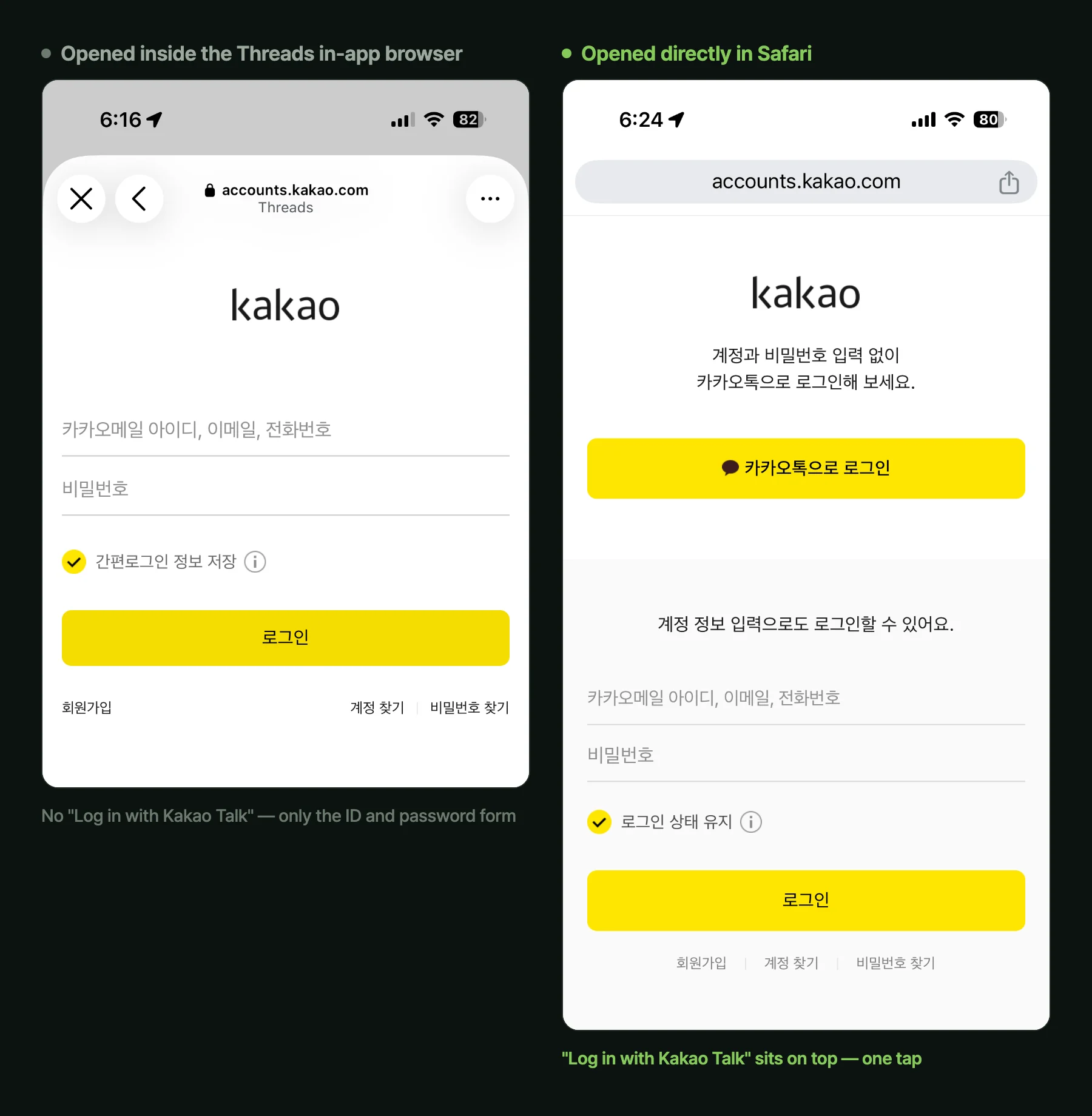
Same URL, same server, same login page. The browser is the only difference.
That difference is a drop-off because the right screen is one tap and the left one is an act of recall. With only the form, the user has to remember the email and password on their Kakao account — and someone who has only ever used social login usually doesn’t know it. They created it years ago, or never created one at all. What follows is password recovery, opening a mailbox, a verification code. Almost nobody follows that far.
The worse part is that none of this loss is recorded anywhere. The server is fine, there are no 500s, and not even a failed-login line accumulates, because the user never attempts one. Developers test in Chrome, so they never see it.
2. The Cause Isn’t Your Request — It’s the Other Page’s Judgment
The Kakao login page (accounts.kakao.com) is what hides the button. No parameter you attach to /oauth/authorize changes that decision, because the page decides for itself based on the browser environment it sees.
That judgment rests on the User-Agent and webview traits.
- In-app webviews frequently block app switches through custom schemes like
kakaotalk://or universal links, as a matter of their own navigation policy. - An in-app webview’s User-Agent differs from real Safari or Chrome — it inserts the host app’s name, or drops a token a standard browser would carry.
- So when the page concludes “an app switch is likely to fail here,” it doesn’t draw the button that would fail. It quietly falls back to the account form.
From Kakao’s side that’s a reasonable fallback. The only problem is that the cost of it gets billed to the conversion rate of the service I worked on.
This isn’t a Threads problem
Meta’s apps (Threads, Instagram, Facebook), and also Line, Naver, WeChat, TikTok — and Kakao Talk itself — all ship their own in-app browser. Three things are common to all of them:
- They don’t share cookies or login sessions with the system browser.
- They block app switches through custom schemes and universal links.
- Autofill and password manager integration is cut off.
All three aim squarely at what makes login easy. A user who should already be signed in starts signed out, the saved password never appears, and the app-switch button is gone.
Google doesn’t even bow out quietly. Since 2016 its policy has rejected OAuth logins in embedded webviews outright. Attempt one and you get a “this browser or app may not be secure” screen that stops you from proceeding. On Kakao, login becomes inconvenient. On Google, it becomes impossible.
The line you can fix
┌──────────────┐ tap a link ┌────────────────┐ auth request ┌──────────────┐│ Threads app │ ───────────▶ │ the service I │ ────────────▶ │ Kakao login ││ (in-app view) │ │ worked on │ │ page │└──────────────┘ └────────────────┘ └──────────────┘ ▲ ▲ │ can't fix this │ can fix from here │ (Threads' webview policy) │ (after the user lands)There’s no place to intervene in how the link itself opens. What you can do is pull the user into a real browser before handing them to Kakao. Then the Kakao page sees a normal browser and draws its normal screen.
In a service that hasn’t handled this, the user’s only option is to tap ⋯ in the top right and pick “Open in Safari” themselves. Almost nobody knows that.
3. The Fix — Detect, Escape, and Plan for the Escape Failing
Detection: listing app names will always break
Detection that matches Threads, Instagram, KAKAOTALK, NAVER by name collapses the moment one of those apps edits a line of its UA, and the list breaks again with every new in-app browser. So keep a general rule as the base and put the name list in front of it only to reduce false positives.
- iOS: real Safari (including SFSafariViewController) always leaves a
Safaritoken at the end of the UA. In-app webviews drop it while rewriting the UA to advertise their own app. - Android: in-app webviews usually leave a
; wv)token in the UA.
const KNOWN_IN_APP_TOKENS =  /KAKAOTALK|NAVER|Line\/|FBAN|FBAV|FB_IAB|Instagram|Threads/i;
export function isInAppBrowser(ua: string): boolean {  if (!ua) return false;  if (KNOWN_IN_APP_TOKENS.test(ua)) return true;  const iosLacksSafari = /iPhone|iPad|iPod/i.test(ua) && !/Safari/i.test(ua);  const androidWebView = /Android/i.test(ua) && /;\s*wv\)/i.test(ua);  return iosLacksSafari || androidWebView;}
Escape: use the schemes the OS reserves
What these apps block is mostly another app’s custom scheme. Schemes the OS itself handles get through more often.
- iOS: replace
https://withx-safari-https://and iOS hands the URL to Safari. - Android:
intent://…#Intent;scheme=https;package=com.android.chrome;endasks the OS to launch Chrome.
export function inAppEscapeHref(targetUrl: string, ua: string) { if (!/^https:\/\//.test(targetUrl)) return { kind: "none", href: null }; if (/iPhone|iPad|iPod/i.test(ua)) { return { kind: "ios", href: targetUrl.replace(/^https:\/\//, "x-safari-https://"), }; } if (/Android/i.test(ua)) { const stripped = targetUrl.replace(/^https:\/\//, ""); return { kind: "android", href: `intent://${stripped}#Intent;scheme=https;package=com.android.chrome;end`, }; } return { kind: "none", href: null };}Fallback: never make them tap twice
Both are unofficial tricks. If the host app blocks these schemes too, they simply fail. So check whether the escape worked and continue to the original link when it didn’t.
When the escape succeeds, this tab is pushed to the background — visibilitychange catches that and clears the fallback timer. If the screen is still there, the escape failed, so after 1.2 seconds the user is sent to the original login link automatically.
const onClick = (e: MouseEvent<HTMLAnchorElement>) => {  const ua = navigator.userAgent;  if (!isInAppBrowser(ua)) return; // normal browsers just follow the href
  const absolute = new URL(href, window.location.origin).toString();  const target = inAppEscapeHref(absolute, ua);  if (!target.href) return;
  e.preventDefault();  window.location.href = target.href;
  const fallback = setTimeout(() => {    if (document.visibilityState === "visible") window.location.href = absolute;  }, 1200);  document.addEventListener("visibilitychange", () => clearTimeout(fallback), {    once: true,  });};
NOTE
If the broken provider is Google, escaping isn’t one option in this sequence — it’s the only one. Kakao at least leaves the form as a way in. Google leaves nothing inside a webview.
Conclusion
The first version had an explanatory banner. On detecting an in-app browser it showed an “Open in Safari” button with a line of copy. I assumed that telling people why it was broken would let them handle it.
Real users answered: they don’t care whether it’s Safari or Chrome. They tap the button and it should just go through.
So the next version dropped the banner. Instead it intercepts the click on the login button and quietly attempts the escape first, with no explanation. The detection logic was reused as is. From the user’s side it reads as “I tapped it and Kakao Talk opened.” The words “in-app browser” never appear.
The same logic catches links tapped inside Kakao Talk’s own message view (KAKAOTALK token). It isn’t just Threads — Kakao Talk’s own in-app browser gets the same treatment.
A single button on a login screen is a conversion rate. And that loss never reaches the logs, and stays invisible to a developer testing in a normal browser. In the end the improvement wasn’t “explain the problem better” — it was removing the need to explain at all.
Comments