
From Topic Idea to Generated, Published, Search-Visible Content
How Wiblog took a user's topic idea, collected sources, generated a post, published it, and observed whether Google and AI crawlers could discover it.
On this page
Introduction
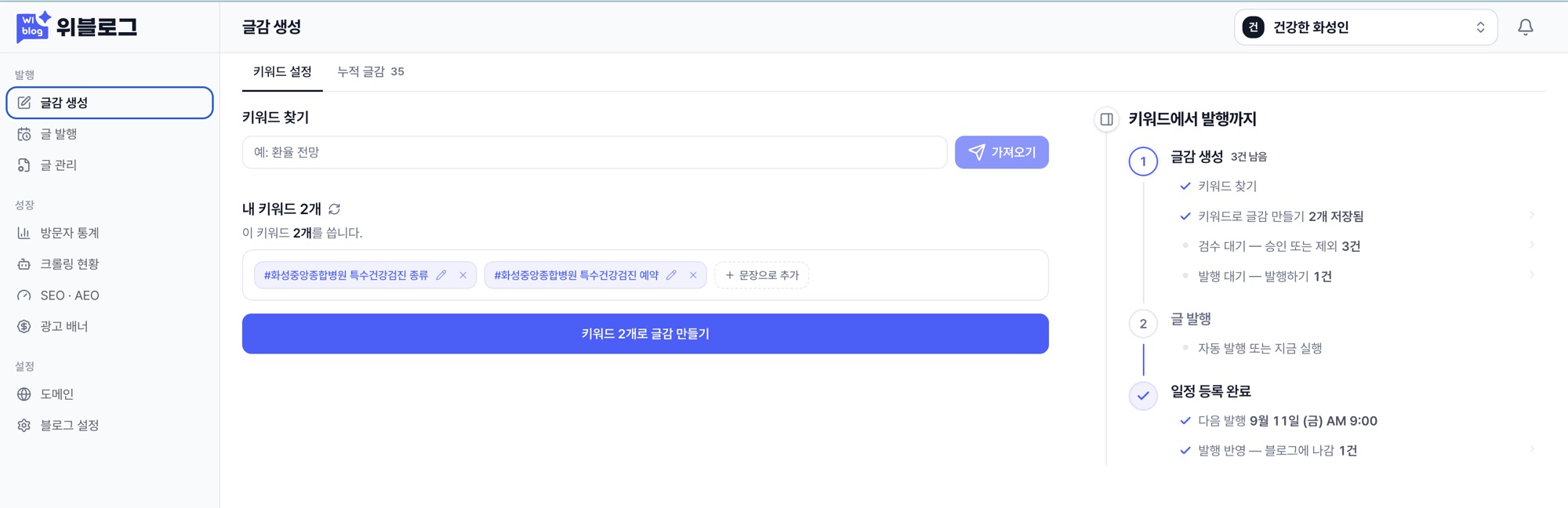
Wiblog is an AI blog service where a user enters a topic or keyword, and the product finds topic candidates, collects sources, generates a post, and publishes it to a blog. The user chooses the topic and generation conditions. The service gathers references, enforces the article structure, and publishes the result at a public URL. The question I worked on was not simply “can an LLM write?”
How do you turn a user’s desired topic into content that can be published and discovered in search?
From July 6 through August 17, 2026, before the beta opened, that was the question behind the work. After the beta opened on August 18, the question shifted toward customers and product direction; Part 2 covers that. This post focuses on the technical flow that came first: topic input, source collection, generation, publishing, domain connection, and observing search and AI access.
NOTE
This post separates “work implemented to support discovery and indexing” from “results I actually observed in search.” site: result counts are not the complete Google index, and search visibility is not the same as sustained ranking or traffic. A crawler visit is also not the same thing as a verified citation in an AI answer.
Topic input ↓Source collection ↓Body generation and structure validation ↓Blog publishing · domain connection ↓Search visibility and external-access observationUsers Got Stuck Before Writing
Article generation itself was not the first problem. An LLM could write sentences. Users got stuck earlier: “What should I write about?”
Broad keywords are competitive, while keywords with no demand bring no readers. It was hard for a beginner to pick something useful in the middle. So we used Google and Naver autocomplete as the starting point for topic candidates. Entering special health checkup, for example, immediately produced seven candidates, each labeled with the search engine it came from.
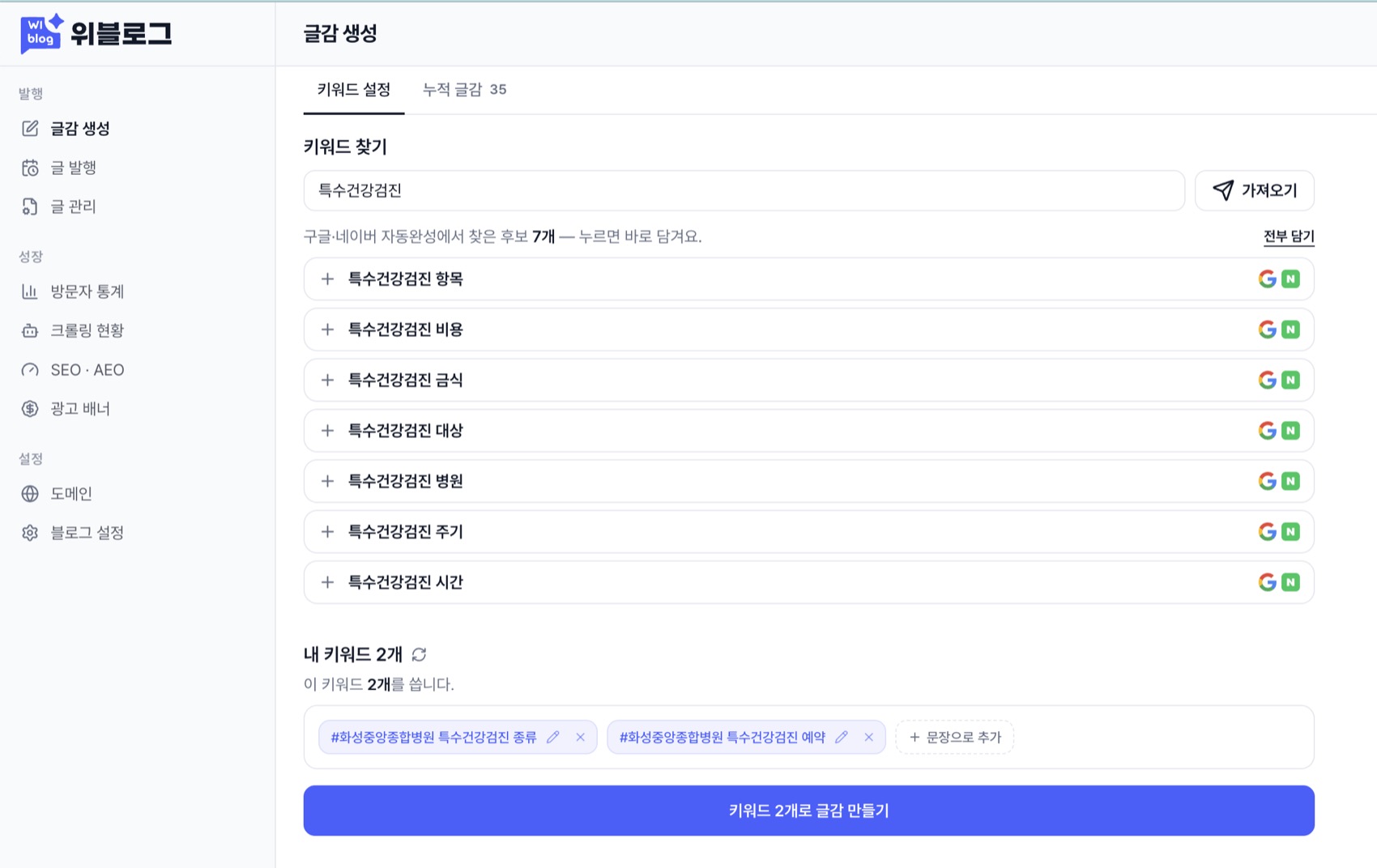
Autocomplete was a clue to expressions people had actually typed into a search box. We queried both engines at once, merged the results, avoided a separate paid search API at this step, and stored each result for seven days.
Autocomplete does not guarantee performance. A phrase appearing there does not mean a new blog will rank or receive traffic. What we needed at this stage was not a profitable keyword guarantee, but a list a user could scan quickly. I wrote the implementation details separately in the post on sourcing topics from search autocomplete.
We also tried extracting candidates from Knowledge-iN questions, but dropped that approach after five days. Question density differed by field, and turning question titles plus body snippets into search terms took too long. The reason we chose autocomplete was not that it proved profitability; it was that users could scan candidates quickly across many fields.
Connecting Sources, Generation, and Publishing
After topic candidates came the article shape. I pulled apart high-ranking posts and found the same pattern: a question-shaped title, a quick answer at the top, a table of contents and body broken into 3-5 lines per item, an FAQ, and references. A “recommended guide” was too loose; the generator needed hard rules.
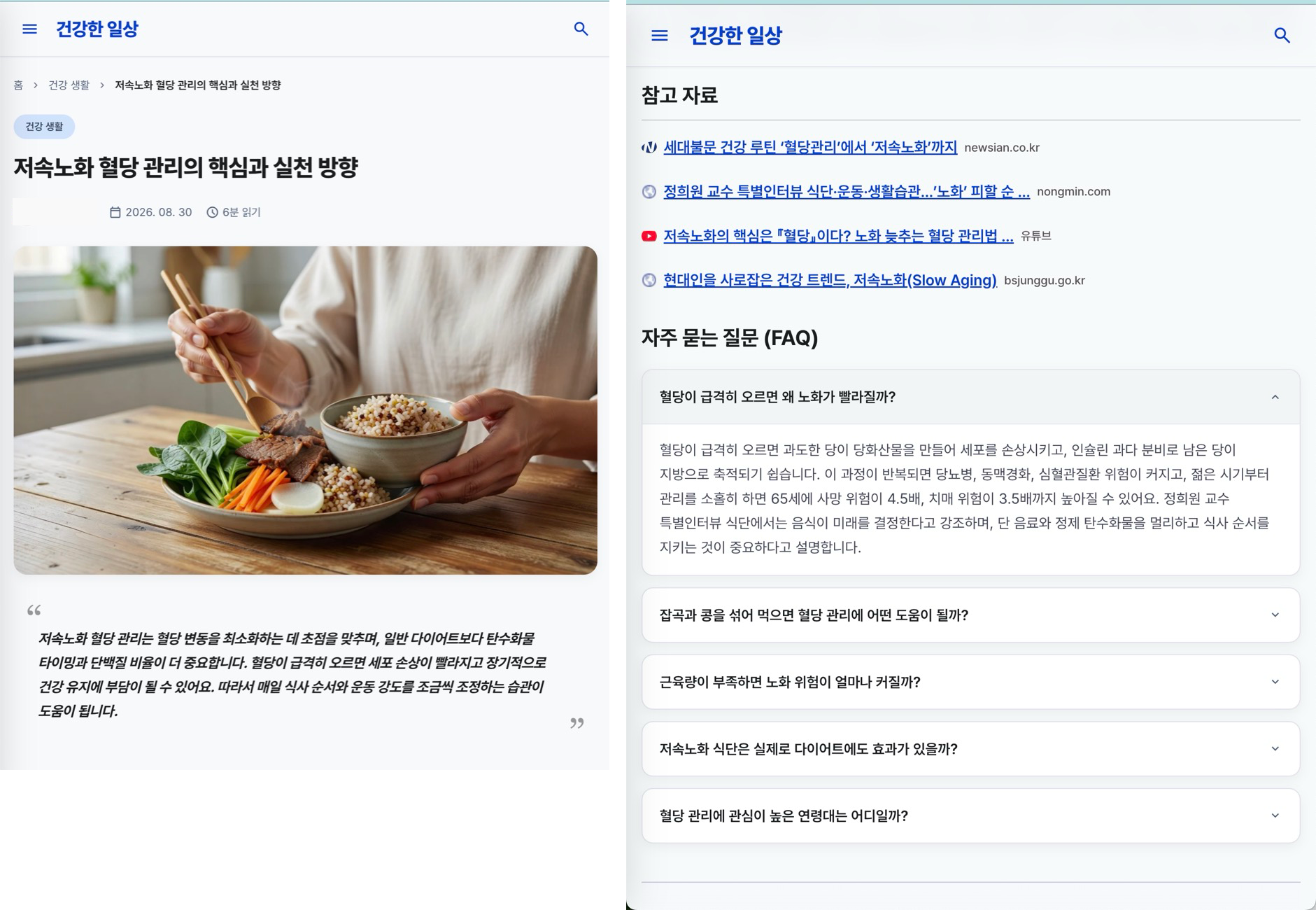
The strictest rule was the source requirement. If we could not find a source, we did not create the post. A natural-sounding sentence is not enough; otherwise the product only accumulates attractive documents with no way to verify them.
This mattered most for topics such as health and finance, where incorrect information is costly. We looked for reference documents before generation and stopped the pipeline when the evidence was not ready. The example article also cites a public institution.
Source collection was also the slowest and most expensive step. External search APIs charged on every call, so we first split the logs: how many times each stage was called, why it failed, whether a cache was used, and whether the request actually incurred a charge.

Only then did we see what to remove.
- Related topics share the same search results.
- A found document is cached for seven days.
- A site that keeps failing does not get an expensive retry loop.
- External API usage sends an alert before the balance becomes a problem.
The detailed implementation is in the post on reducing AI blog pipeline cost. The important point here is the product rule: source-backed writing was the quality bar, and caching plus logging made that rule affordable enough to repeat.
Generated Posts Needed to Open at Public URLs
A post is not finished when it is generated. It has to open at a public URL and be readable by search engines. The personal console showed the current step, remaining work, and next publishing time in one flow.
The before-and-after figures recorded in the retrospective were:
| Item | Before | After |
|---|---|---|
| First onboarding wait | 21.9s | 8.6s |
| Domain search | 8.2s | 1.4s |
| First-screen data | 596KB | 189KB |
| Preview server calls | 17 | 1 |
Instead of collecting every keyword before moving to the next screen, we started first and fetched the rest behind it. We did not remove all computation; we changed what the user had to wait for first.
The publishing flow also needed safer deployments. When a customer domain pointed to the server I worked on, a deployment outage was the customer’s blog going down. We applied blue-green deployment to both the admin screen and the API. The deployment structure is covered in the post on moving from container restarts to blue-green deployment. For this post, the key point is simpler: a publishing product includes the generator, the public address, and the operational path that keeps that address alive.
Making Custom Domains a Requirement for the Search Strategy
Generating a post and publishing it at a public URL did not ensure discovery in search. For blogs operated with Google indexing as the goal, Wiblog made custom-domain connection a requirement of its publishing strategy and discouraged continued use of witim.blog subdomains. This was an operating decision, not merely a customization option.
I checked posts published at the default address and at a personal domain with a site: query. The share of posts I could find in search was very different.
| Target | Published posts | Found in search | Rate |
|---|---|---|---|
Default *.witim.blog | 3,040 | 224 | 7.4% |
Personal domain coinmanual.blog | 98 | 92 | 93.9% |
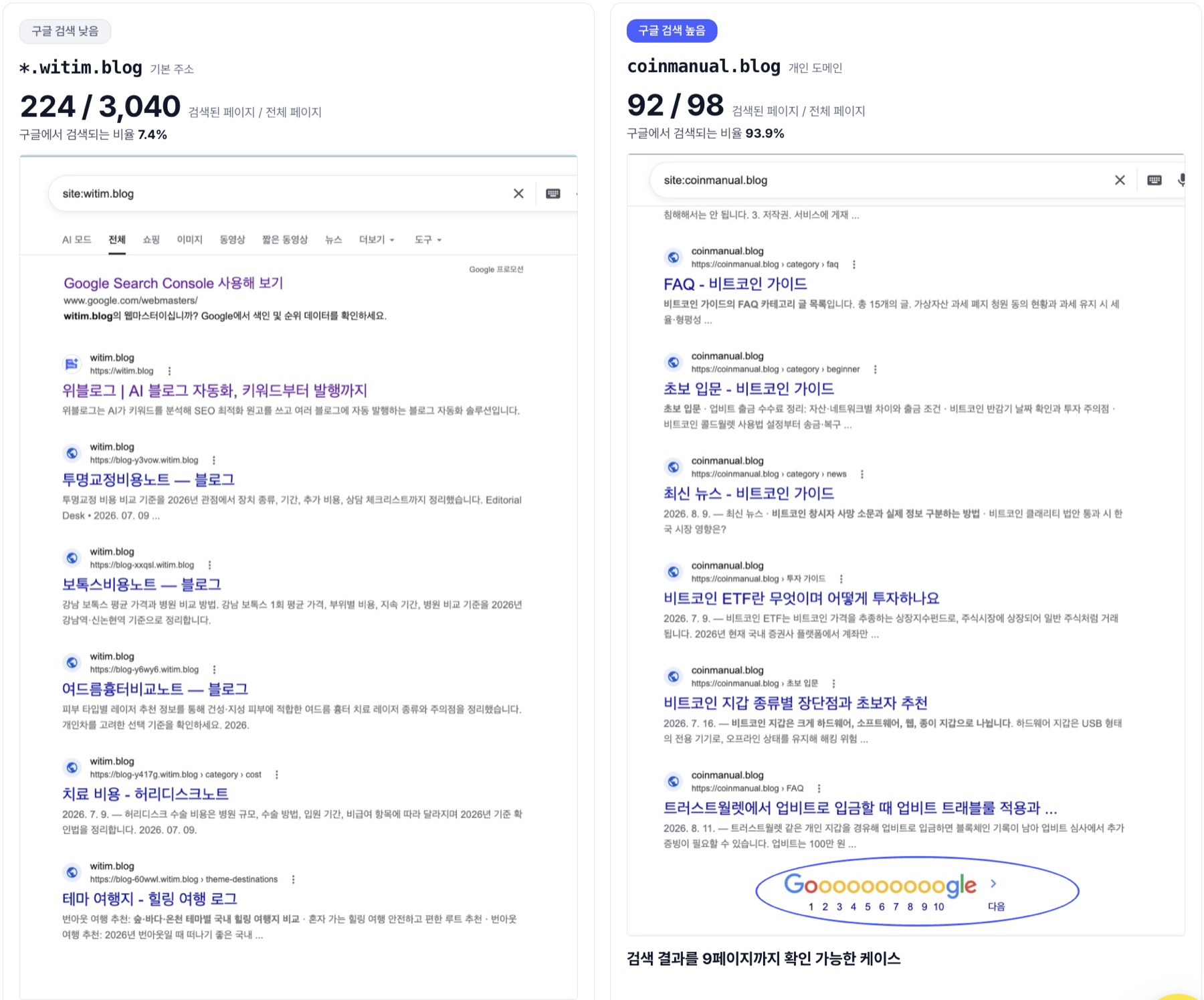
These were numbers from a site: search at the time. Search-result counts are not the complete index, and this was not a controlled experiment matching topic, publication date, and external links. The comparison did not isolate the domain as the cause. It did inform the decision to validate search visibility on custom domains instead of continuing to rely on the default subdomains.
This was Wiblog’s operating judgment, not a claim that Google cannot index subdomains. Google’s official FAQ states that it has no preference between subfolders and subdomains for indexing and ranking. Connecting a custom domain does not guarantee indexing or high rankings.
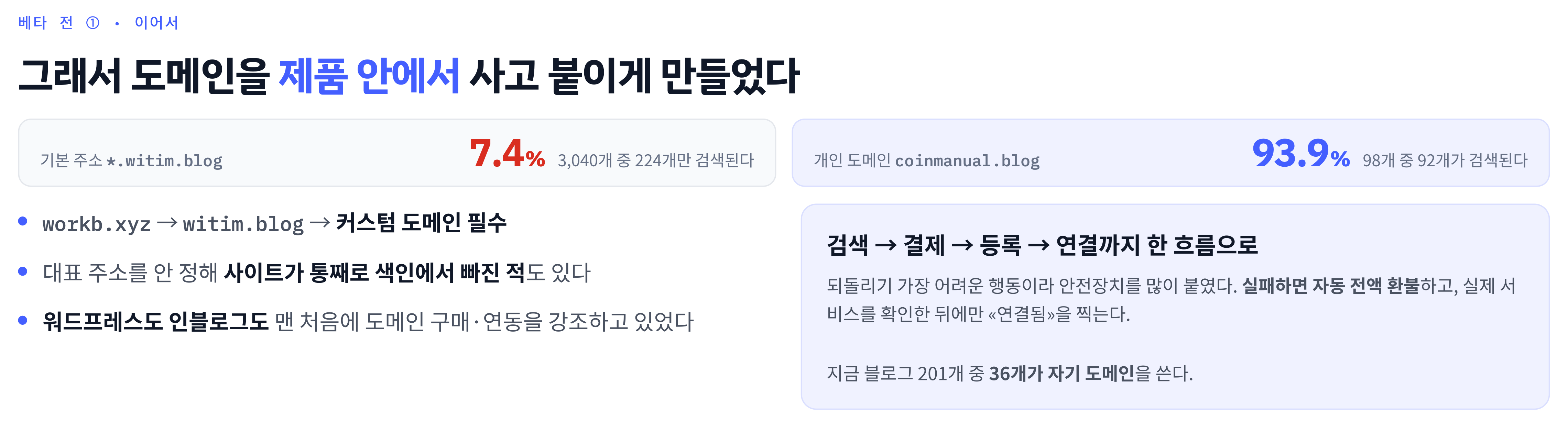
WordPress and Inblog, which I looked at then, both emphasized buying and connecting a domain from the beginning. If users had to buy a domain elsewhere, configure DNS, and check the connection alone, the flow stopped even if article generation was good. We put domain search, payment, registration, and connection checks inside the product. The path went from workb.xyz to witim.blog and then to a custom-domain publishing strategy; at the time of the retrospective, 36 of 201 blogs used their own domain. That count describes adoption at the time, not a completed migration of every blog.
For domain connection, I separated “the request was sent” from “the service is actually open.” A failed request triggered an automatic full refund, and the connection was marked complete only after the service opened. We had also once lost an entire site from indexing because its canonical address was not set. I wrote the implementation details in the custom-domain automation post. The important boundary was between purchasing a domain and confirming that the published site actually opened at that address.
Search Visibility and AI Access Were Different Signals
After publishing and connecting domains, I first checked ordinary search results. On September 18, 2026, I searched two terms again in Google’s logged-out incognito mode. The posts appeared in ordinary results even without a site: restriction.
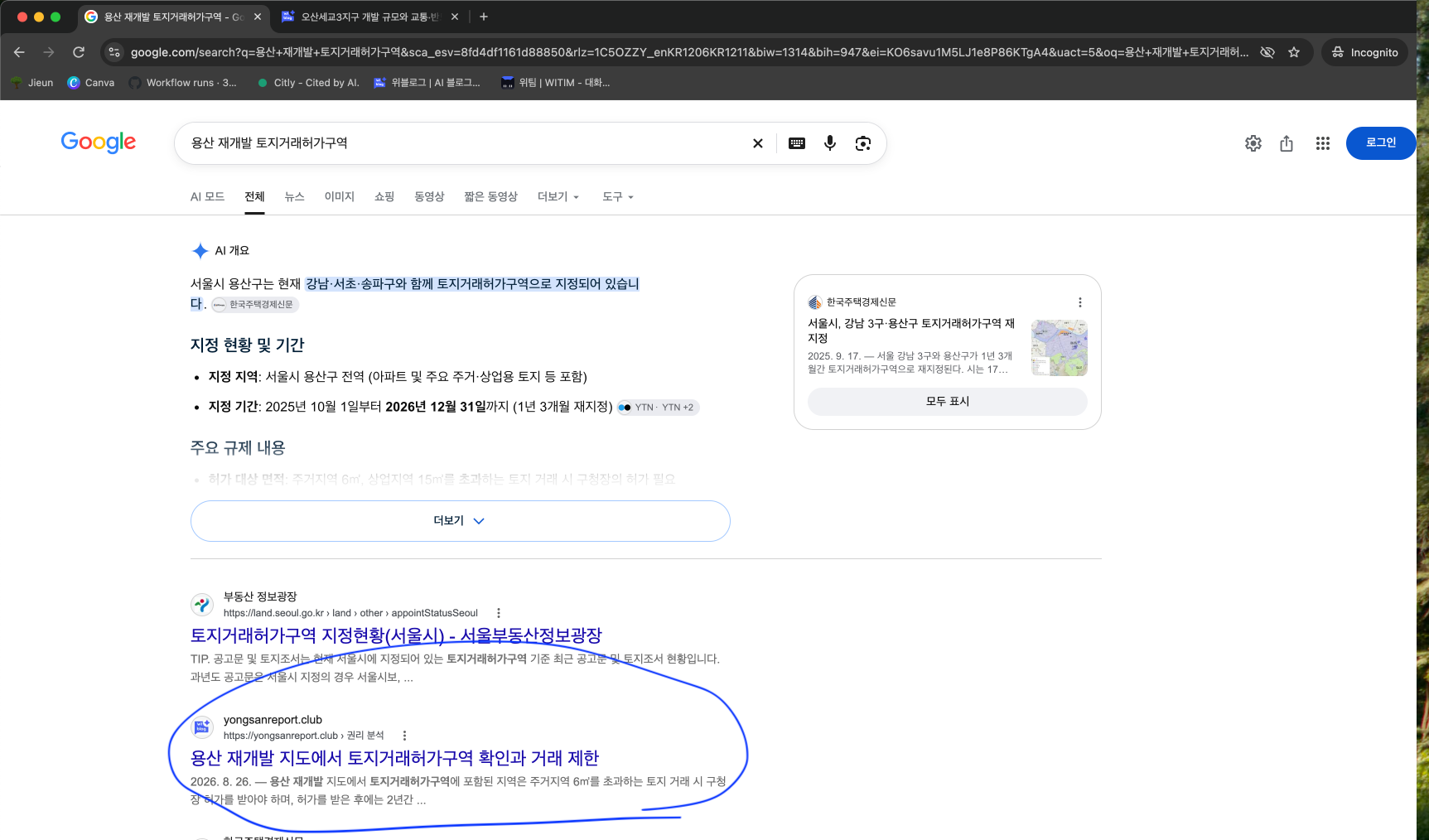
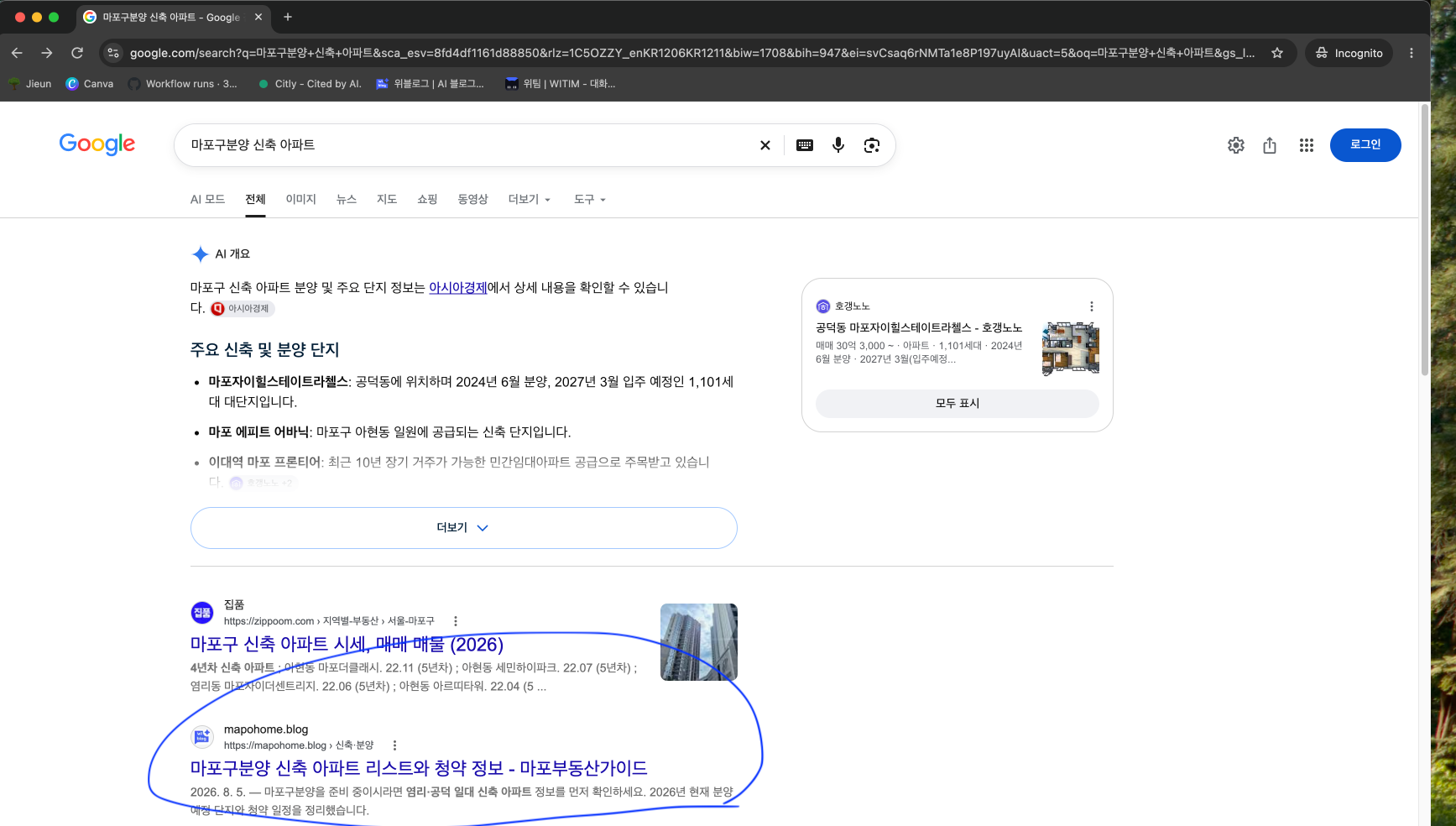
Those screenshots show that the posts appeared in ordinary search results. That is different from implementing indexing support, and it is also different from proving sustained rankings or real traffic.
I also examined AI-answer citations and crawler access separately from ordinary search visibility.
I saw a source-backed Wiblog post cited in a Google AI Overview. That became the technical starting point when we later narrowed the PoC to hospitals and real-estate businesses.
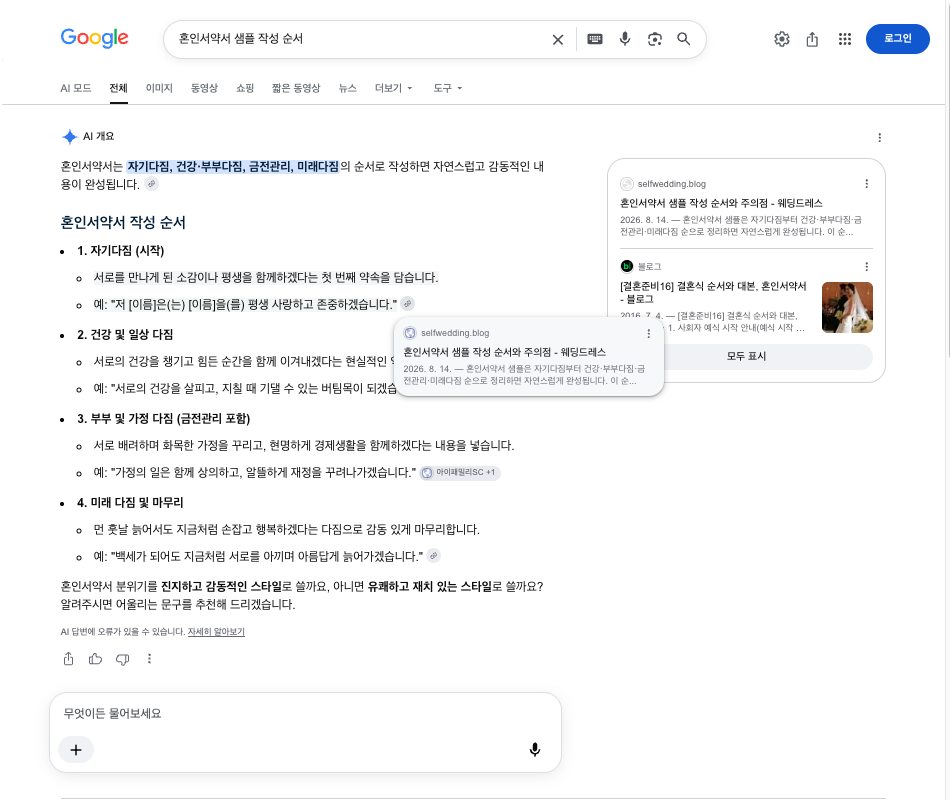
We also watched which AI crawlers accessed which posts through server access logs. It gave users a product view of external access that does not appear in a search-ranking table.
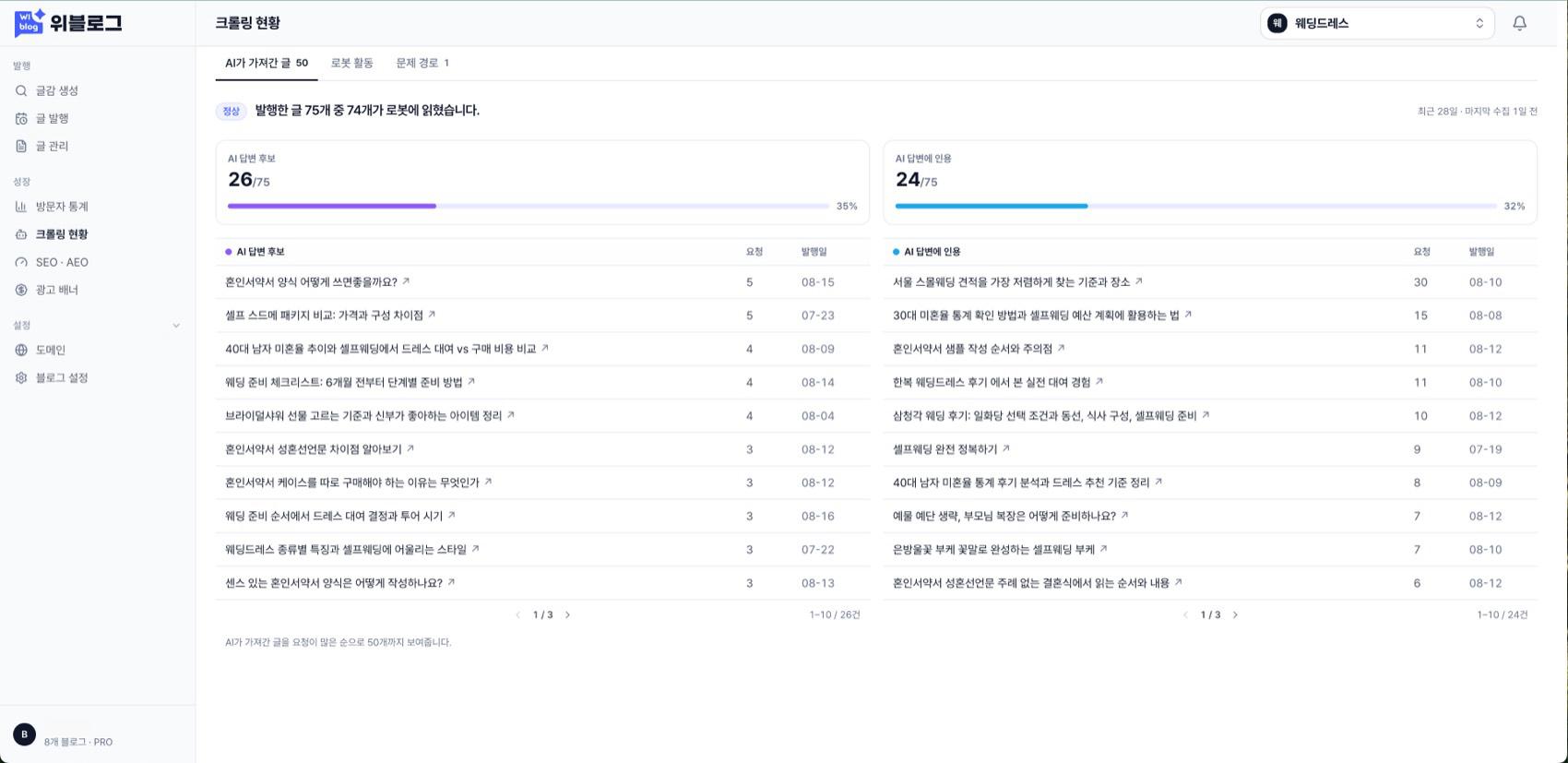
But these two signals are not the same. The read and citation counts in the crawl dashboard are observations under the product’s own counting rules. I kept them separate from the citation I verified directly in an answer screen: a crawler visit by itself does not prove that an answer cited the post.
Conclusion
Part 1 confirms one thing: a user’s topic could become a source-backed post, be published at a public address, and produce observable search and AI-access signals. Autocomplete made topic candidates quick to scan, source rules set a quality floor, and domain connection plus deployment stability made the generated posts behave like real blogs.
The limits are just as important. A site: result count is not the full index, a crawler visit is not a verified citation, and search visibility is not sustained ranking or traffic. A technically working service did not tell us who would keep paying for it.
That question only became clear after meeting beta users. Part 2 covers how their questions and behavior changed Wiblog’s customer hypothesis, onboarding, and value proposition.
Comments