
Migrating an NCP Production Account with Terraform and NKS
How I rebuilt Terraform infrastructure, NKS, and the deployment path while moving a production environment to a new NCP account.
On this page
Introduction
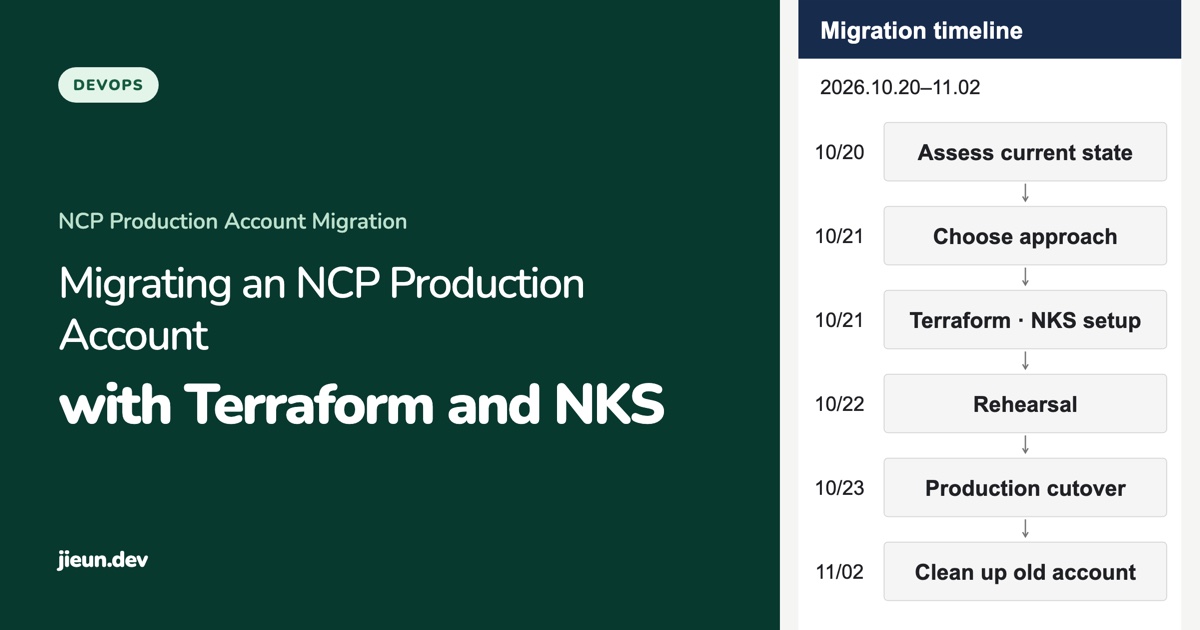
In October 2026, I moved WITIM, a groupware service running on NCP, to another account. I rebuilt the infrastructure with Terraform, deployed the services to NKS, and switched over the data and deployment path. The actual user impact lasted about 13 minutes.
The production environment needed to move to a new NCP account to use cloud credits. WITIM was already running on NKS (Naver Kubernetes Service). The task was to move the existing services and data to another account and reconnect deployment and monitoring, rather than introduce Kubernetes.
The previous owner had left the company partway through the migration. I started by reading the infrastructure documentation, migration plan, and pull requests they had left behind. But the documented architecture did not match the actual resources. Some resources previously created in the new account had already been deleted. The existing account still contained load balancers from the VM era and services that were no longer in use. Terraform state also contained resources that no longer existed.
Until then, I had expected the migration to begin by recreating the resources needed in the new account. But when the resources recorded in Terraform differ from those that actually remain, it is unclear whether apply will restore them or recreate them. Accidentally replacing an existing resource was a risk, but recreating an unused service in the new account would also be a problem.
Instead of starting with configuration changes, I first read the previous owner’s documentation, pull requests, and Git history. I checked the actual resource state through the NCP console and API, Kubernetes, and Terraform state. I defined the migration scope from the verified current state, then proceeded through reconstruction, data migration, rehearsal, and production cutover.
1. I defined the scope from the live environment, not the Terraform code
WITIM’s operating model had changed over a few months. In April, it used VMs and an autoscaling group. From late June, deployments used NKS and ArgoCD. Yet the VM-era load balancers remained, and a separate service that was effectively no longer used still occupied a node pool.
The architecture described in the operational documents varied with when each document had been written. For example, the April documents described VMs pulling and running container images directly. Later documents described ArgoCD reading image tags recorded in Git and deploying them to NKS. Both had been accurate at one time, but they could not both serve as the basis for understanding the live architecture in October.
I used Git history to identify when the architecture had changed, then cross-checked the load balancers connected to actual services against the NKS workloads. I checked whether each service was receiving traffic, had connected nodes, and was still a deployment target. A resource existing and a resource being necessary for production were different questions.
I settled on the following scope.
| Component | Decision | Reason |
|---|---|---|
| Main WITIM application, real-time server, and login service | Migrate | Services used by actual users |
| PostgreSQL and Redis | Migrate | Preserve messages, attendance records, sessions, and usage records |
| ArgoCD, logs, alerts, and deployment pipelines | Migrate and rebuild | Getting a service to run and keeping it operable are different requirements |
| Old Orbit service and test admin application | Do not recreate in the new account | Could be excluded from the current production scope |
| Residual resources such as VM-era load balancers | Exclude from migration | No longer handling service traffic |
The new account’s Terraform state also retained nine resources that had already been deleted. When code, state, and actual resources differ, the create, delete, and replace lists in subsequent plan output become harder to interpret. I removed entries for resources that no longer existed from state, then checked the plan again. I treated removing nonexistent resources from state and deleting actual cloud resources as separate operations.
That process established the migration scope. The first decision was to create only the resources needed for current operations in the new account, rather than copy everything from the existing account.
2. Terraform was a tool for both rebuilding infrastructure and verifying changes
On October 21, I configured the network, bastion, managed PostgreSQL and Redis, and NKS in the new account. NKS started with one system node for shared operational components, two witim nodes for the application, and two centrifugo nodes for the real-time server: five nodes in total, with node-pool autoscaling configured.
There was a reason not to copy the existing account exactly. In the previous environment, operational tools ran in a node pool named after a separate service, so resource names did not always match their current roles. In the new environment, I separated the shared nodes for ArgoCD, logging, and alerts from the application and real-time-server node pools. The separation made it easier to see what belonged where and predict the impact of later changes to node counts.
I used Terraform to configure the underlying resources belonging to the account, such as VPCs, subnets, the bastion, managed databases, Redis, and NKS. Application manifests, which change continuously inside the cluster, remained synchronized from Git by ArgoCD. Infrastructure provisioning and application deployment had separate responsibilities.
I also chose the network configuration alongside the data-migration method. Adding VPC Peering between the two accounts would make direct database replication easier. But the data was small, and the connection would not be needed after migration. Instead of establishing a persistent access path between accounts, I decided to move data through temporary pods inside each cluster.
During the Terraform apply, an API error occurred around the NKS node pool’s taint configuration. Terraform marked the resource for replacement, but actually replacing healthy nodes could make the situation worse. Checking the API state and the real resources showed that recreation was unnecessary. I cleared the mark with terraform untaint and checked plan again to ensure it would not replace the resource. I chose that action after verifying that replacement was unnecessary; it was not a general solution to apply to every taint-related error.
Checking what would be created and what would not be replaced mattered more than simply seeing whether terraform apply succeeded.
3. A new cluster was not enough to restore deployment
Once NKS and the databases were ready, I connected the path for deploying and updating applications in the new account.
GitHub Actions → New NCP Container Registry → Update image tags in Git → ArgoCD → New NKSFirst, I moved images from the existing registry to the new registry. I copied five images, including those needed for rollback, and compared their hashes. That removed the need to build new images or retrieve them from the old account on cutover day. Beyond checking that the images existed, I needed to verify that the new nodes could actually pull them, because both the registry address and its credentials were changing.
I also updated deployment access. The existing ArgoCD instance accessed its repository using a former employee’s personal GitHub token. Removing the account had invalidated the token, leaving deployment and rollback blocked. Simply inserting a new token could resume the paused synchronization and apply the accumulated Git changes to production all at once.
I therefore disabled automatic synchronization first, then replaced the personal token with an organization-owned read-only GitHub App. I proceeded with the required deployments only after checking the app’s repository access and the synchronization state. The login service returned a 401 because its image-pull Secret had not been updated with the reissued NCP credentials. I replaced the Secret and verified an actual image pull from another node. No production pods restarted.
Another problem surfaced when I ran a production deployment again after cutover. GitHub’s main branch rules blocked the image-tag update commit made by the deployment automation. Even if CI built an image successfully, ArgoCD could not detect the change unless the new tag was written to Git. A successful build and a successful deployment were separate outcomes.
Rather than loosen branch protection, I created a separate GitHub App that could update only that repository’s image tags and allowed an exception for that app alone. At 15:32 on October 23, I completed the web and admin deployments through the new path.
Before deployment, I also reproduced the database migrations against a copy of production data. That revealed 11 missing indexes that needed to be applied in advance. Without them, deployment would have stopped at the migration preflight check. I applied and validated the indexes first, then ran all 48 migrations without errors.
I also fixed an issue where ArgoCD synchronization temporarily reduced the web pods to one by correcting the RespectIgnoreDifferences setting. Running successfully once on the new servers and deploying safely the next time were separate things to verify.
4. I prepared cutover day for moving only data and traffic
For the applications, I could deploy the same images to the new cluster. The databases, however, could not accept writes in both accounts simultaneously. I needed to avoid a situation where messages were stored in the old database while attendance records went to the new one.
I considered PostgreSQL logical replication, but the dump was about 46.5MB and restore times were short during rehearsal. At this scale, thorough advance verification followed by a short pause in writes was more appropriate than adding replication slots and cross-account networking to manage. I also kept PostgreSQL at the existing version, 15.15, rather than upgrading to 17. There was no reason to combine an account migration with a database upgrade.
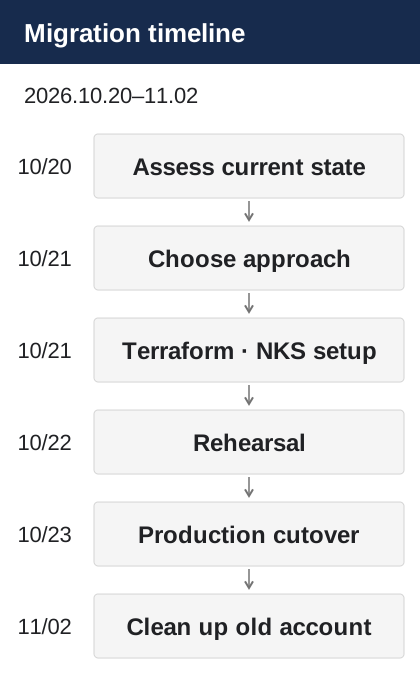
In the October 22 rehearsal, I took a read-only dump of the production database and restored it into the new environment. I checked login, chat, and file functionality using real data. I tested the worker with external communication blocked. I also corrected the configuration problems found during rehearsal before cutover.
I defined the rollback boundary in advance. Before user writes began in the new environment, I could return by bringing the existing environment back up. Once records started accumulating in the new database, however, simply pointing traffic back to the old account could leave data missing. I therefore fixed the order: the external entry points would change only after the data comparison and new-application checks had passed.
The actual cutover followed this sequence.
October 22, 23:59 Stop writes in the existing environmentOctober 23, 00:01–00:05 Final PostgreSQL and Redis migrationOctober 23, 00:06 Start applications in the new environmentOctober 23, 00:12 Complete switching five Cloudflare entry points| Check | Result |
|---|---|
| PostgreSQL | 285 tables and 495,192 rows matched |
| Redis | 9,587 keys matched |
| User impact | About 13 minutes |
| Web requests in the first hour after cutover | Zero 5xx responses among 5,518 requests |
| Worker processing during the same period | 1,926 successful jobs and zero restarts |
Immediately after cutover, I checked session continuity on desktop and mobile as well as the web, real-time chat, files, and push notifications. Preserving login sessions and confirming matching data were important user outcomes. Still, immediate functional checks and reliable ongoing operations are different kinds of verification. That same day, I ran a production deployment through to completion and checked monitoring alerts and backups against the new account.
On November 2, I preserved the old account’s logs, extended Loki retention from 30 days to 90 days, and removed all resources from the old account. Its October infrastructure usage cost had been about KRW 1.34 million. After cleanup, I made sure no billable resources remained there. That amount was the old account’s usage cost at the time, not a statement of equivalent net savings.
Conclusion
Writing Terraform code was only part of what took time during this migration. I had to identify settings that differed from the live environment, decide which resources to keep or remove, and recheck everything from deployment access to the data-cutover sequence.
Copying the existing setup immediately might have let me start faster. But it would likely have carried over unnecessary resources and an already broken deployment path. The time spent on discovery and rehearsal let me focus on copying data and switching traffic on cutover day.
The most important choice was defining success as being able to deploy, recover, and observe the services in the new account, rather than simply bringing up a new NKS cluster.
The decisions around moving data are covered in Part 2 · Why I chose a short maintenance window over zero downtime. The actual copying process and production-isolation checks are covered in Part 3 · Rehearsing with production data.
Comments