
Building a Crash-Resilient, End-to-End Meeting Recording Pipeline in the Browser
A one-hour browser recording could push the JS heap past 300 MB, and a tab crash meant losing everything. Rebuilding it as a six-stage pipeline with five-minute savepoints.
On this page
- Introduction
- The New Architecture: A 6-Stage Automated Pipeline
- Stage 1: 5-Minute Savepoints
Taming Browser Memory
The Core IdeaHow It WorksCrash Recovery — Dual MechanismThe WebM Header Problem - Stage 2: Direct-to-R2 Upload via Presigned URLs
- Stage 3: Automatic Transcription Trigger
- Stage 4: STT Engine
- Stage 5: AI Summary with Claude
- Stage 6: Real-Time Status via Centrifugo WebSocket
- The Common Design Philosophy
- Tech Stack
- Conclusion
Introduction
The platform I worked on had a straightforward meeting recording feature: hit record in the browser, stop when you’re done, upload the file, click a button to transcribe. It worked — but was deeply flawed.
Three pain points kept surfacing:
Browser memory blowup. The MediaRecorder API accumulates audio chunks as Blob/ArrayBuffer in memory. For a one-hour meeting recorded in WebM Opus, that’s roughly 60–100 MB of raw chunks. When recording stops, new Blob(chunks) merges everything — and for a brief moment, both the original chunks and the merged blob coexist in memory, spiking to 120–200 MB. Add FormData conversion for upload and you’re looking at 200–300 MB in a single tab’s JS heap. Chrome enforces a per-tab memory ceiling of roughly 1–4 GB, and with 10+ tabs open, the GC starts thrashing, the UI janks, and the tab can outright crash. Worst part: a crash meant total data loss — nothing had been sent to the server yet.
Poor Korean STT quality. We were using OpenAI Whisper, which delivered around 85% accuracy on Korean speech — no speaker diarization, and a hard 25 MB file-size cap that made long meetings impossible to process.
Manual workflow friction. Users had to manually click “Transcribe” after recording. Forget to click? No transcript. Results were checked via polling every 5 seconds — 300+ redundant API calls over a typical 10–25 minute transcription window.
The New Architecture: A 6-Stage Automated Pipeline
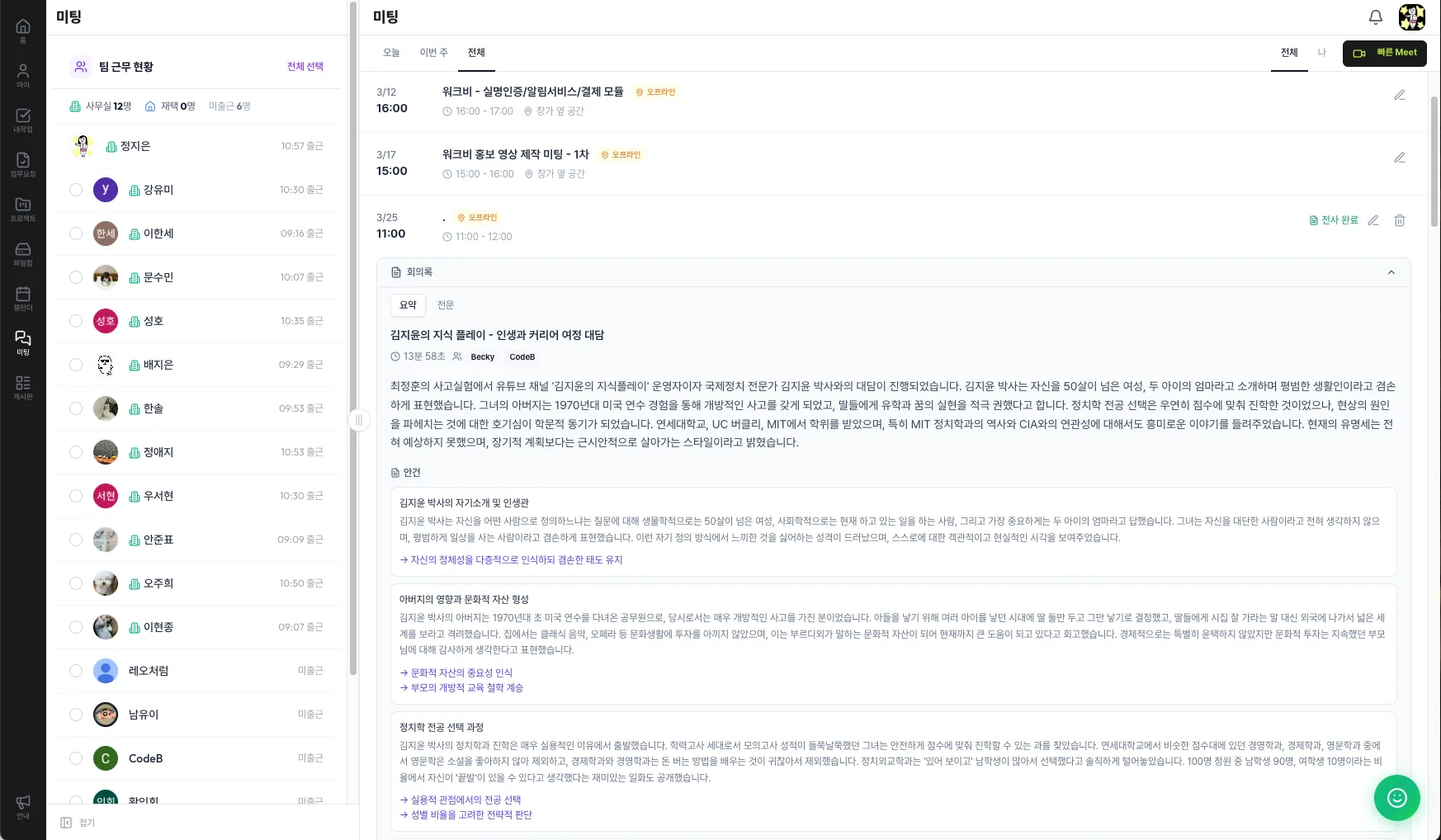
We redesigned the entire flow into six stages that require zero user intervention after pressing “Stop”:
- Recording Capture — 5-minute savepoints with automatic cloud backup
- Cloud Upload — Direct browser-to-R2 upload via presigned URLs
- Auto-Trigger — Server-side transcription kickoff on finalize
- Speech Recognition — VITO AI (sommers model) with speaker diarization
- AI Summary — Claude API generates structured meeting minutes
- Real-Time Delivery — Centrifugo WebSocket pushes status updates live
Let’s walk through each stage.
Stage 1: 5-Minute Savepoints — Taming Browser Memory
The Core Idea
Instead of buffering an entire recording in memory, we flush audio to the cloud every 5 minutes. A 5-minute WebM Opus segment is only ~5–10 MB, so the browser never holds more than that at any point. One hour of recording? Still 10 MB in memory.
How It Works
- Recording starts → the client sends an init request to the server and receives a recording ID + a presigned upload URL for the first part.
- Every 5 minutes → accumulated audio chunks are bundled into a single blob and uploaded directly to Cloudflare R2. On success, the client notifies the server (“Part N saved”), receives the next presigned URL, and clears the chunks from memory.
- Recording stops → the last partial segment is uploaded, and a
finalizerequest tells the server to merge all parts.
Crash Recovery — Dual Mechanism
The biggest win is resilience. If the browser crashes mid-recording, every savepoint up to that moment is already safe in R2. Maximum data loss: 5 minutes.
We implemented two complementary recovery mechanisms:
Server-side timeout. Each savepoint schedules a “process automatically in 10 minutes” delayed job via BullMQ. When the next savepoint arrives, the previous timer is cancelled. If no savepoint shows up for 10 minutes, the server assumes a crash and proceeds to merge and transcribe whatever parts it has.
Client-side recovery UI. If the user reconnects, the app detects the interrupted session and displays: “Your previous recording was interrupted. Recover the saved 20 minutes?”
Why both? A single timeout creates a tradeoff between “safe wait time” and “fast recovery.” A short timeout risks false positives from temporary network hiccups; a long one delays recovery for users who reconnect quickly. The dual approach lets us keep the timeout conservatively long while offering instant manual recovery.
The WebM Header Problem
An interesting gotcha: when we collected MediaRecorder chunks every 5 minutes and created a new Blob, the second segment onward was missing the WebM EBML header. ffmpeg refused to parse them.
The root cause is that MediaRecorder emits the container header only at the start of recording. Our solution: stop and restart the MediaRecorder on the same audio stream at each savepoint boundary. Each segment becomes an independent, fully valid WebM file. The resulting audio gap is 5–10 ms — completely imperceptible in a meeting context. This is a well-known pattern used by libraries like RecordRTC.
Stage 2: Direct-to-R2 Upload via Presigned URLs
In the old system, audio files passed through our application server on the way to storage. The new system eliminates the server from the data path entirely.
Presigned URLs are time-limited, pre-authenticated URLs that allow the browser to PUT directly to Cloudflare R2. The server only issues the URL (a lightweight operation involving signing, not data transfer). The actual file bytes never touch the server.
The result: zero server bandwidth consumption for uploads, regardless of how many users are recording simultaneously. At 100K users, the server’s only job during recording is issuing URLs — a negligible cost.
Downloads work the same way: the server performs an auth check, logs the access, and redirects to a presigned download URL. R2 serves the file directly. Server memory usage for file I/O: zero.
We also discovered during code review that the R2 integration layer (provider class, presigned URL generation, storage key management) already existed in the codebase I worked on from a previous feature. We only needed to build the savepoint-specific API routes.
Stage 3: Automatic Transcription Trigger
Previously, users had to remember to click “Transcribe.” If they forgot, no transcription happened — ever.
Now, when the server completes part merging via ffmpeg (the finalize step), it automatically enqueues a transcription job in BullMQ. No user action required. The old “Transcribe” button remains only as a manual retry option for failure cases.
Stage 4: STT Engine — From OpenAI Whisper to VITO
Evaluating 6 STT Engines
We benchmarked three commercial APIs (VITO, ElevenLabs, Google Chirp 3) and three open-source options (Whisper, Qwen3-ASR, Voxtral) as of March 2026.
Korean accuracy (Character Error Rate):
| Engine | CER |
|---|---|
| VITO sommers | < 8% |
| ElevenLabs Scribe v2 | 8.5% |
| Whisper large-v3 | 10.8–11.4% |
| Google Chirp 3 | 11.3% |
Speaker diarization: VITO (2–5 speakers, auto-detect), ElevenLabs (up to 32 speakers), and Google all have built-in support. Whisper requires external tooling like WhisperX.
VITO’s differentiating features:
- ITN (Inverse Text Normalization): Converts spoken numbers to written form — “삼천원” → “3,000원.”
- Disfluency filtering: Automatically removes filler words like “음,” “어.”
- Keyword boosting: Register up to 500 domain-specific terms to improve recognition accuracy.
None of the other engines include these features natively.
File size limits: Whisper’s 25 MB cap was a hard blocker for long meetings. VITO Batch STT has no limit.
Cost Analysis by Usage Tier
Cost dynamics shift significantly across usage volumes (at $1 = ₩1,430):
| Monthly Hours | Cheapest Option | Notes |
|---|---|---|
| 2.5–10h | VITO / ElevenLabs (free tier) | VITO offers 10h free on signup |
| ~20h | VITO (~₩10K) | 2.7–3.1× cheaper than Google/ElevenLabs |
| ~50h | ElevenLabs Creator ($22) | Begins to undercut VITO at this tier |
| ~100h | VITO (~₩90K) | 1.5–1.6× cheaper than alternatives |
| 200–500h | ElevenLabs subscription plans | 1.3–2.1× cheaper than VITO |
| 500h+ | Google Dynamic Batch | Lowest per-hour rate at scale |
Why We Chose VITO
For the platform I worked on, Korean meeting transcript quality was the core product value. Our decision came down to three factors:
- Best Korean accuracy at CER < 8%. In meeting transcription, lower accuracy doesn’t just mean more errors — it means higher post-processing cost and user frustration.
- All-in-one package. Speaker diarization + ITN + disfluency filtering are built-in. ElevenLabs has lower unit costs in some tiers but requires custom implementations for ITN and disfluency filtering. Google had reported stability issues with diarization.
- Natural integration with our BullMQ architecture. We can pass the
CalendarEventattendee count asspk_countto improve diarization accuracy automatically.
We chose Batch STT over Streaming STT because batch mode processes the full audio file, producing significantly better speaker diarization. Streaming mode must make real-time speaker assignments without full context, leading to label swaps and split-speaker errors — unacceptable for multi-participant meeting minutes.
Streaming File Transfer: R2 → VITO
When feeding audio from R2 to VITO’s API, we use stream piping instead of buffering the file into server memory:
| Concurrent Users | Buffer Approach | Streaming Approach |
|---|---|---|
| 10 (60 MB each) | 600 MB | ~KB |
| 50 | 3 GB | ~KB |
| 100 | 6 GB → OOM risk | ~KB |
The implementation uses https.request() + form.pipe() to stream directly from R2’s response to VITO’s upload endpoint. We couldn’t use Node.js’s native fetch for this because it doesn’t support Readable stream bodies — a notable limitation that required dropping down to the https module.
This design lets us set BullMQ concurrency aggressively, independent of available server RAM.
Async Polling Without Blocking Workers
VITO’s Batch API is asynchronous: you submit audio, receive a job ID, and must poll for completion. VITO doesn’t support webhooks, so polling is the only option.
The naive approach — while (!done) { await sleep(30s); check(); } — locks a BullMQ worker slot for the entire 10–25 minute transcription duration. That’s a severe bottleneck.
Our solution: BullMQ delayed jobs as a state machine.
submit-transcriptionjob → sends file to VITO → returns immediately (slot freed).- Schedules a
check-transcriptionjob with a 30-second delay. check-transcriptionruns → queries VITO once → if not done, schedules another check → returns immediately.- When complete → parses segments → enqueues AI summary job.
Each step occupies a worker for only a few seconds. 100 concurrent transcriptions? No problem — workers are never blocked.
Normalized Segment Storage
VITO’s results are stored in two forms:
segmentscolumn (JSON): Structured data with speaker ID, start/end timestamps in milliseconds, and text. Used for speaker filtering in the UI, timestamp-based playback, and AI summary input.transcriptcolumn (plain text): Human-readable format like[Speaker 1] 00:00:05 - Today's sprint review.... Used for full-text search, previews, and Claude API input.
We normalize VITO’s field names into our own schema so that swapping the STT engine in the future won’t break the downstream data contract.
Stage 5: AI Summary with Claude
The Summary Pipeline
Once VITO produces the transcript, Claude (claude-sonnet-4-20250514) generates structured meeting minutes. We feed it the transcript column (plain text) rather than the segments JSON — the summary only needs speaker labels and utterances, not millisecond-precision timestamps. Plain text also yields a more concise prompt and lower token usage.
Claude returns a JSON object containing: meeting title, duration, attendees, overall summary (3–10 sentences), per-agenda discussion points with decisions, action items (with owners and deadlines), and key insights.
Adaptive Tier System
Early on, we noticed that a fixed-length prompt produced oddly uniform summaries: a 10-minute standup and a 2-hour strategy session both got the same depth of coverage. Agenda discussion points were being truncated for longer meetings.
We introduced a three-tier system based on transcript length:
| Transcript Length | Summary | Agenda Items |
|---|---|---|
| < 2,000 chars | 2–3 sentences | 1–2 items |
| 2,000–8,000 chars | 4–6 sentences with context | 3–5 items |
| > 8,000 chars | 6–10 sentences with background, arguments, conclusions | 5–10 items |
Stage 6: Real-Time Status via Centrifugo WebSocket
The Polling Problem
The old system used React Query to poll the server every 5 seconds: “Is it done yet?” Over a 10–25 minute transcription, that’s ~300 wasted API calls.
Hybrid Approach: Push + Safety-Net Polling
The primary update channel is now Centrifugo WebSocket. Each pipeline stage (merging → transcribing → summarizing → complete) pushes a status update to the user in real time.
We still maintain a safety-net poll — but at 30-second intervals instead of 5. If the WebSocket connection drops, the client falls back to aggressive 5–15 second polling based on the current pipeline state.
Result: API calls dropped from around 300 to around 50 per transcription cycle.
Notification Routing
- Users viewing the recording detail page receive real-time UI updates via Centrifugo channel subscription.
- The person who initiated the recording receives a personal notification (toast + notification bell) regardless of where they are in the app — even in the desktop messenger client. Notifications are persisted in the database.
- Other meeting attendees are not notified in real time. They can access the completed transcript and summary through the meeting viewer.
The Common Design Philosophy
Looking across the three most impactful architectural decisions — R2 streaming pipe, 5-minute savepoints with presigned URLs, and BullMQ delayed-job polling — a shared principle emerges:
As concurrency scales, resource consumption stays nearly constant.
| Pattern | Traditional Approach | Our Approach |
|---|---|---|
| R2 → VITO file transfer | Memory grows linearly with concurrent users | Constant ~KB via stream piping |
| Browser recording + upload | Memory grows with recording duration; server bandwidth grows with users | Fixed ~10 MB in browser; zero server bandwidth |
| STT completion polling | Worker slots locked for minutes per job | Workers occupied for seconds; slots freed immediately |
This isn’t premature optimization — it’s the difference between a system that falls over at 50 concurrent users and one that handles 100+ without architectural changes.
Tech Stack
| Layer | Technology |
|---|---|
| Frontend | MediaRecorder API, React Query |
| Storage | Cloudflare R2, Presigned URLs |
| Job Queue | BullMQ, Redis |
| Audio Processing | ffmpeg |
| Speech-to-Text | VITO sommers (Batch STT) |
| AI Summary | Claude Sonnet |
| Real-Time | Centrifugo WebSocket |
| Container | Separate web + worker deployments |
Conclusion
All six pipeline stages were completed and deployed as of March 25, 2026.
Memory stability: Browser memory stays under ~10 MB regardless of recording duration. Tab crashes now lose at most 5 minutes of audio.
STT quality: Korean recognition accuracy improved from ~85% to over 92%. Speaker diarization enables “who said what” — a feature that was previously impossible. No file-size limitations.
User experience: Transcription and summarization run automatically after recording stops. Real-time status updates replaced 300 polling calls with ~50. Zero manual steps required.
Server efficiency: File data never passes through the application server. Streaming transfer keeps server memory at ~KB even with 100 concurrent transcriptions. The architecture is designed to scale to 100K users.
This post documents the recording system overhaul for the platform I worked on. All benchmarks, cost figures, and architecture decisions reflect the state of things as of March 2026.
Comments